Claude Opus 5.5 Realtime Motion Video
Motion graphics usually live in After Effects, get rendered overnight and end up as a heavy MP4. This demo takes a different route: a complete, music-driven motion video of almost six minutes that is drawn live in the browser, frame by frame, from a single 104KB HTML file . No video file, no animation library, no build step, just HTML, CSS and plain JavaScript on a
<canvas> in just . The whole piece was built together with Claude Opus 5.5 in Claude Code.
Try it yourself
Open the demo, press play with sound on, and use the scene buttons to jump through the piece. On iPhone and iPad, tap play once mobile browsers only allow audio after a user gesture.
https://www.wartris.com/gfx/motion_demo/
What you see
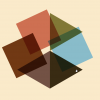
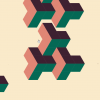
Sixteen scenes flow into each other without a cut: a ring of rays that breathes with the beat, morphing polygons, a hexagon assembled from colored triangles, a spirograph, a sun with orbiting planets, moon phases that pop and fill in time with a xylophone, a rolling planet with scrolling color bands, impossible isometric cubes, a lens morph that bends a grid into a sphere, and many more. Every scene hands over to the next one, a dot becomes a disc, a disc becomes a cluster of bubbles, three lines become the edges of a triangle.
- Runs in real time at full frame rate in any modern browser, including mobile
- About 2,000 lines of hand-readable JavaScript in one file
- Usually 1-5 ms per frame on a laptop
- Resolution-independent: the 1920×1080 stage scales to any container
- Scrubbable timeline, scene buttons and deep links such as
index.html?t=120
How it works: time in, picture out
The core idea is simple. The animation is not a sequence of tweens that run "somewhere in the background". It is a pure function of time: give it a second, and it draws exactly that moment. This makes the video seekable, deterministic and easy to keep in sync with music.
<code>// Every scene owns a time window on the master timeline
const SCENES = [
  { id: 'rays',    start: 2.7,  end: 38.0 },
  { id: 'circles', start: 38.0, end: 50.6 },
  { id: 'shapes',  start: 50.6, end: 59.3 },
  // ...
];
// Draw the complete frame for time t (in seconds)
function renderAt(t) {
  ctx.fillStyle = PAPER;
  ctx.fillRect(0, 0, 1920, 1080);
  for (const s of SCENES) {
    if (t >= s.start && t < s.end) DRAW[s.id](t);
  }
}
Inside a scene, motion is described with keyframes pairs of time and value and an easing curve:
<code>// Interpolate between [time, value] keyframes
function key(t, frames, ease) {
  if (t <= frames[0][0]) return frames[0][1];
  for (let i = 0; i < frames.length - 1; i++) {
    const [t0, v0] = frames[i], [t1, v1] = frames[i + 1];
    if (t <= t1) return v0 + (v1 - v0) * ease((t - t0) / (t1 - t0));
  }
  return frames[frames.length - 1][1];
}
// A sun that grows, wanders to the left and returns
const x = key(t, [[99, 960], [103, 207], [110, 162], [126, 960]], easeInOut);
const r = key(t, [[99, 0],   [103, 500], [126, 284]],             easeInOut);
disc(x, 540, r, SUN);
For perfectly fluid movement, paths with many keyframes are additionally smoothed over time, so that speed and direction never jump at a keyframe. The music is the clock: while the soundtrack plays, the animation reads its position directly from the audio element, so picture and sound cannot drift apart.
<code>function frame(now) {
  if (playing) {
    clock = audioIsRunning ? audio.currentTime          // music leads
                           : clock + (now - last) / 1000; // fallback clock
  }
  last = now;
  renderAt(clock);
  requestAnimationFrame(frame);
}
Effects beyond simple shapes
- Beat-synced events Claude analyzed the soundtrack, detected the xylophone hits on a 0.5-second grid and placed pops, fills and fly-outs exactly on the beat.
- Lens morph with WebGL a small fragment shader warps a grid of diamonds into a magnifying sphere, in real time.
- Impossible geometry isometric cube units whose faces are L-shaped rhombi, built as a tiny 3D voxel model and projected to 2D.
- Color mixing like paint overlapping shapes use the
multiply blend mode, with colors chosen so that the overlaps produce the intended tones.
- Rolling sphere color bands scroll across a planet along its meridians, each band boundary computed like a moon phase.
Working with Claude on motion
The interesting part is the workflow. Claude did not just write code and hope for the best. It rendered test frames in a built-in browser, laid them out as contact sheets, checked timing at full frame rate, measured colors and positions, and refined scene after scene. Feedback like "the planets should flow more smoothly", "the moons should pop in on every xylophone hit" or "the lines should rotate evenly and continuously" turned directly into concrete changes and was verified again frame by frame.
The result is a motion piece that behaves like a video but is lighter, interactive and editable: every color, every timing and every scene lives in readable code and a central configuration block.
Photos
AI
Opus
Motion
5.5
Realtime
Javascript
Video
Claude
Views: 144